From local sources to usable operational data

The data exists.
It just never
gets here.

A machine exposes its readings locally. An alarm stays in a log file. A branch system can only be reached from its own network. Trazadera Lens brings managed collection to those sources, so useful data can become part of the wider operation.

01 / The missing part of the picture

Operations keep moving.
The information waits.

Manual exports and one-off scripts may solve the first request. As sources and sites multiply, teams spend more time collecting, checking and chasing data. A missing reading can mean a quiet machine, a failed collector or simply a late file.

At the source

Machine readingsAvailable through a local protocol
Equipment eventsWritten to files beside the equipment
Site systemsReachable only from the local network

Manual export
Local script
Someone has to check

At the point of decision

“What is happening
across our sites?”

Central reporting depends on what arrives, when it arrives and whether someone can explain a gap.

When the collection is uncertain, every operational decision starts with another request for data.

02 / Close the gap at the source

Collect locally.
Return something useful.

Lens agents run a configured collection program beside the source. The connector handles the local interaction; the program processes the result and declares the fields it should return. Start with the information an operational team can actually use.

Read

The local source

Protocol, file or service
with authorised access

Execute beside it

Lens Agent

Connector · collection logic
Site configuration

Return

A defined output

Named fields and types
for downstream use

Define the reading before scaling the collection.

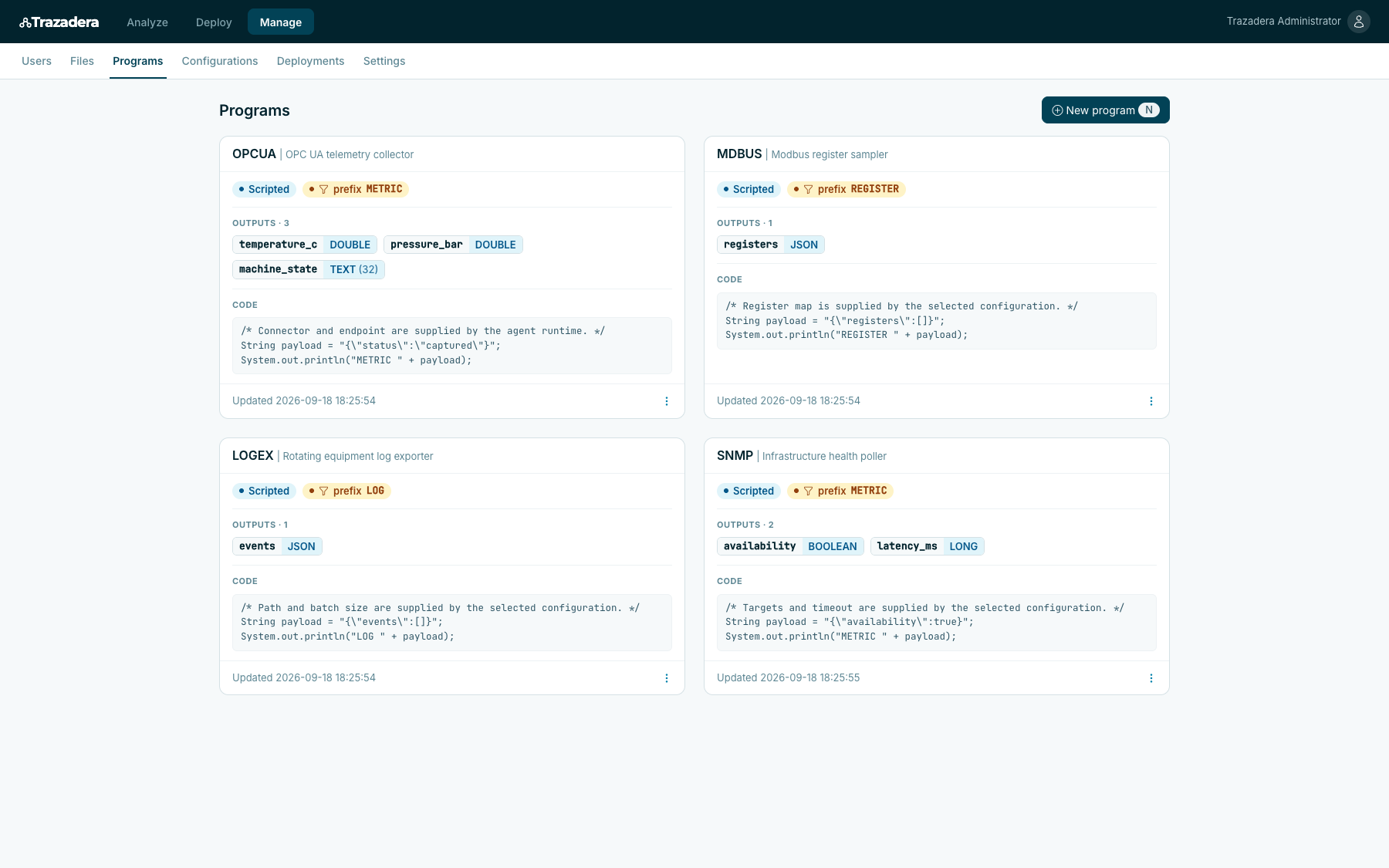
In the Northstar Plant demonstration, a telemetry program declares temperature, pressure and machine state. For a real rollout, agree the units, source identity, observation time and missing-value behaviour with the team that will consume the data.

Lens program declaring temperature_c and pressure_bar as DOUBLE and machine_state as TEXT.Enlarge
Northstar Plant demo · declared fields and types for a telemetry workload.

Each source needs a suitable connector, an agent environment and access permissions. The demonstration illustrates configuration and deployment; it does not establish live OPC UA or Modbus connectivity.

Explore Lens

03 / Expand without losing control

A new site should not
mean a new script.

Keep the collection program separate from local endpoints and parameters. Then define which agents receive it and how often it runs. The operating instructions remain visible as the scope grows.

One reusable program
The deployment references the telemetry workload by name. Collection logic has a defined place to maintain.
A configuration for this environment
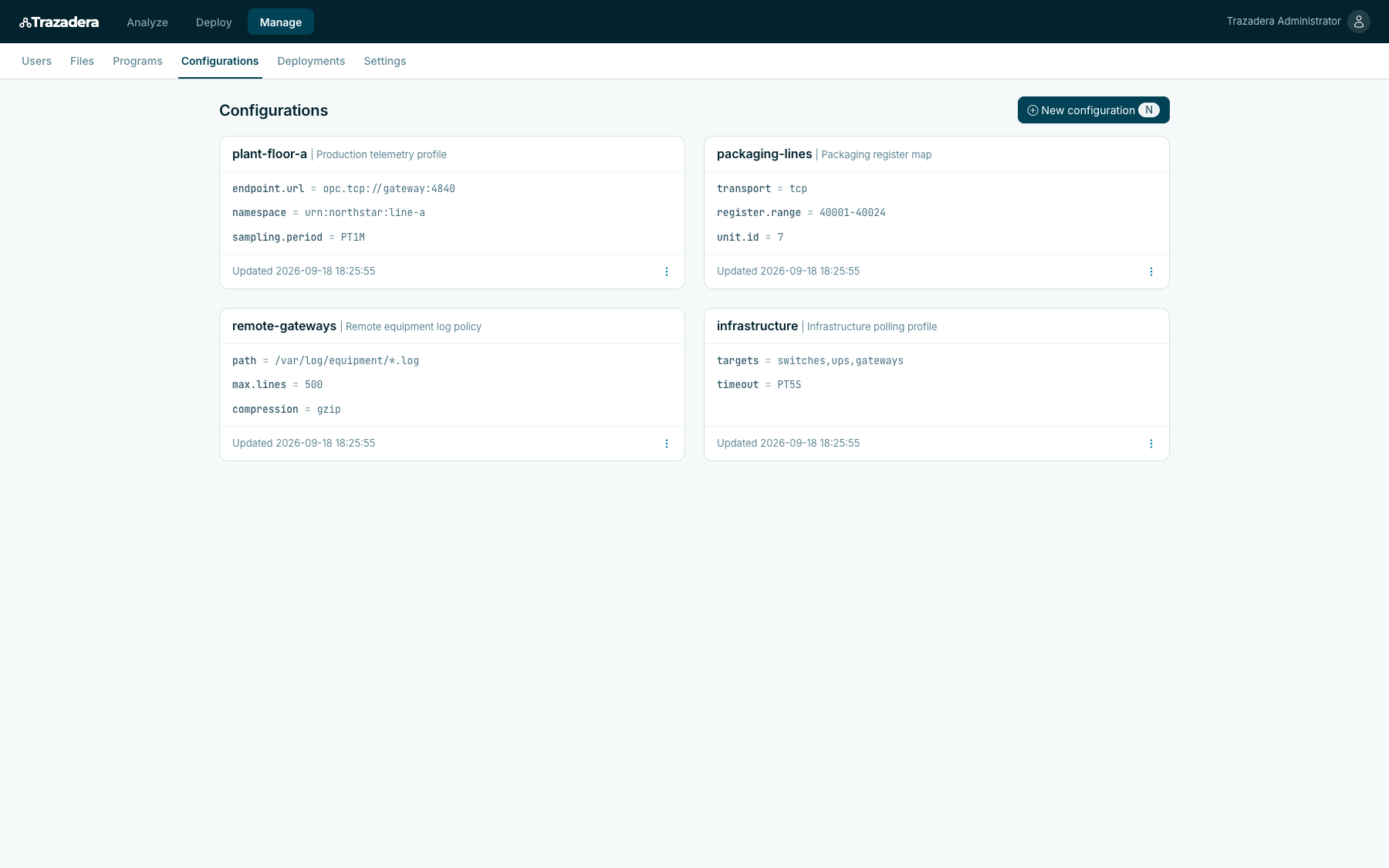
plant-floor-a supplies the local endpoint, namespace and sampling period.
An explicit scope and cadence
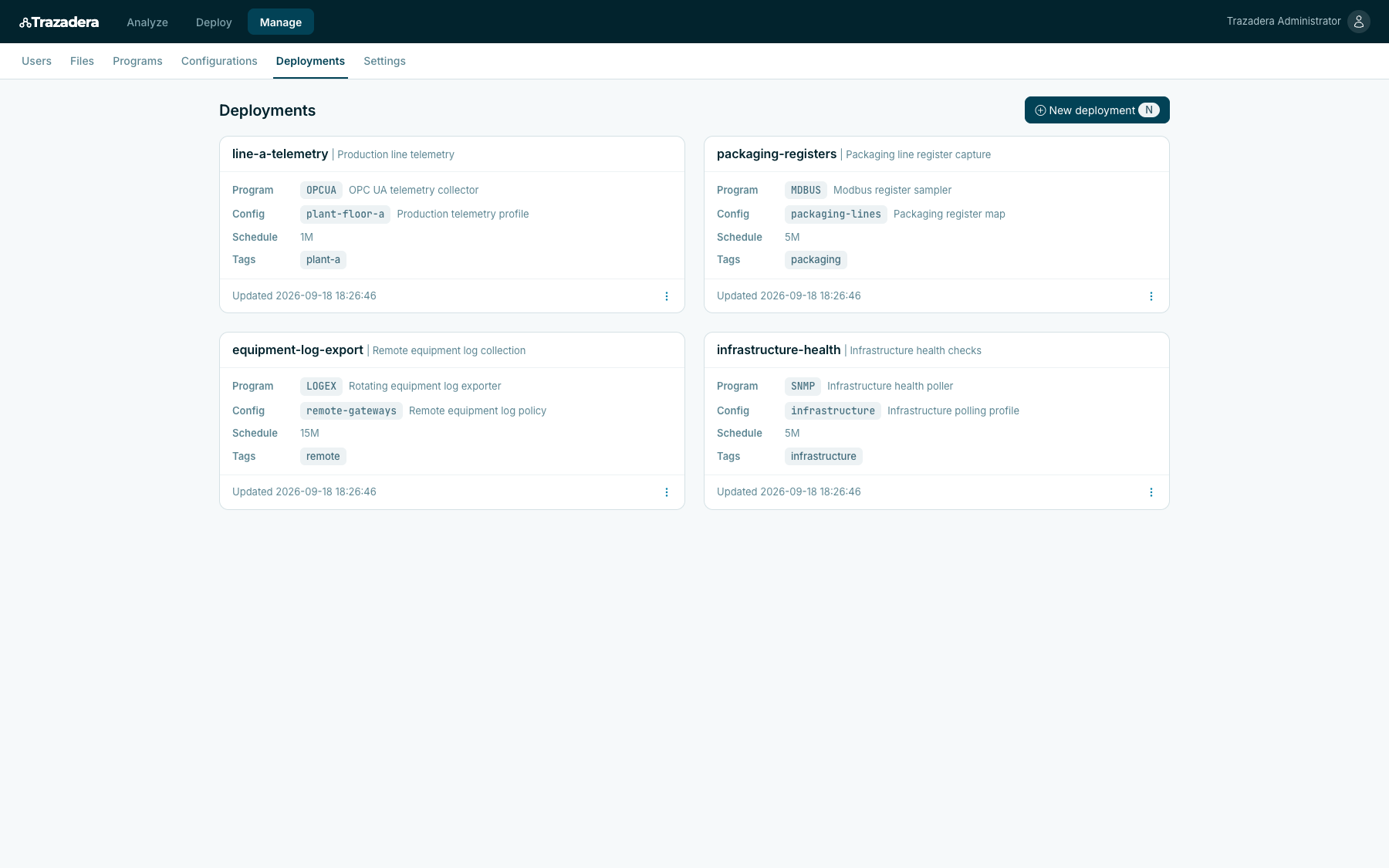
The plant-a tag selects the intended agents. This demonstration schedules the workload every minute.
Lens line-a-telemetry deployment: OPCUA program, plant-floor-a configuration, 1M schedule and plant-a tag.Enlarge
Northstar Plant demo · one deployment binds the program, configuration, cadence and target tags.
See the local configuration
Lens plant-floor-a configuration with a local OPC UA endpoint, a namespace and a one-minute sampling period.Enlarge
Endpoint, namespace and sampling period are configured separately from the program.

04 / Turn collection into an operating practice

Know what to connect.
Know when to act.

The first useful outcome is a collection path your team can explain and operate. Use it to make three decisions before extending the rollout to more equipment or locations.

01

Prove one source is worth connecting.

Choose a reading that changes a maintenance, service or operational decision. Check its meaning and freshness with the source owner before collecting everything available.

Which decision becomes easier when this data arrives?
02

Give missing data an owner.

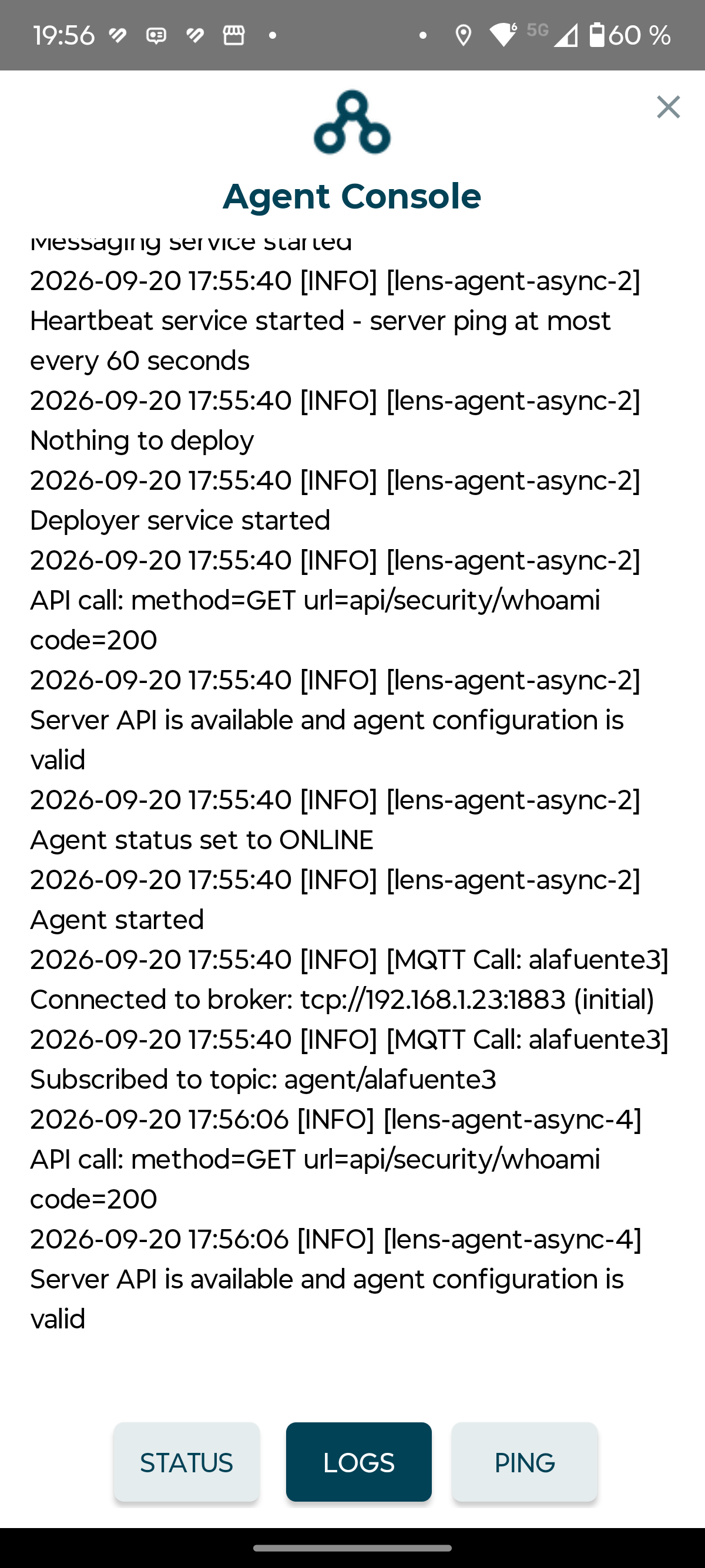
Agree when a reading is late and who investigates. Use agent state, synchronization and logs to investigate collection problems before interpreting silence as normal operation.

See the Android connection checks
Android agent log confirming the server API is available, the configuration is valid and the agent has moved to OnlineEnlarge
Lens on Android · this log confirms startup and server connectivity. It does not confirm that a collection workload has run.

Who checks the source, the agent and the delivery path?

03

Expand a configuration you have checked.

Validate the program and site parameters on a small group. Review the target tags before widening the deployment, and confirm that the next site returns the expected output.

What must be true before adding the next location?

See how the target agents are identified
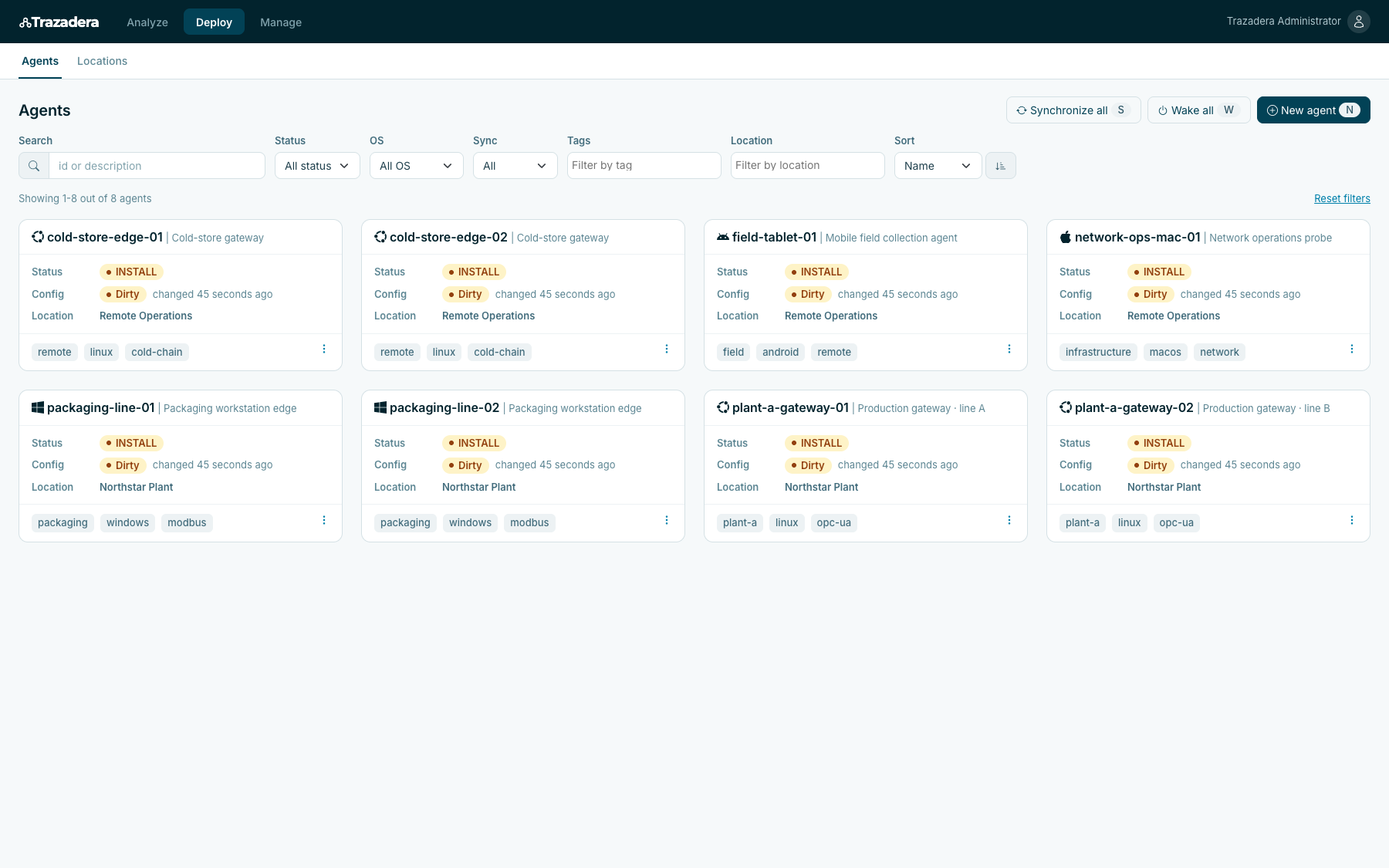
Lens plant-gateway-01 and plant-gateway-02 with Linux and plant-a tags, installation status and configuration state.Enlarge
The two demo gateways share the plant-a tag. Their installation and configuration states are visible; these are configured examples, not live production readings.

Start with one hard-to-reach source

Which useful data
never leaves the site?

Bring the source, the environment where it can be reached and the decision its data should support. We can define a focused collection scope, the connector it needs and how your team will operate it.

Discuss an edge source